
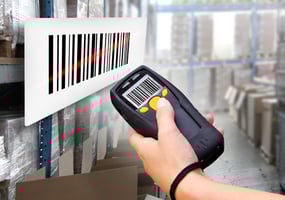
How do you keep track of all of the items that you have in your warehouse? To have an efficient...
Warehouse Scanner Refresh: 7 Signs It's Time to Upgrade
Nobody schedules a warehouse device refresh on purpose. It usually happens by accident — a scanner finally dies mid-shift, a worker can't find a charger, or someone asks why picking is taking longer than it used to. By the time the problem gets attention, it's already been costing you time for months.
Aging scanners and mobile computers rarely fail all at once. They degrade slowly: a few extra seconds per scan here, a battery that doesn't quite make it to break, a device held together with packing tape. None of it looks urgent day to day. Added up across a warehouse floor and a full shift, it's a steady drag on throughput that's easy to miss and expensive to ignore.
This guide walks through the seven clearest signs that your warehouse scanners and mobile devices need a refresh, why the problem tends to hide in plain sight, and how to plan an upgrade without disrupting the operation you're trying to improve.
Why Warehouse Hardware Quietly Becomes a Bottleneck
Most warehouses don't buy all their devices at once, and they don't replace them all at once either. Over a few years, that creates a mixed fleet: some devices are three years old, some are seven, and a few are backups nobody remembers the age of. That mix is where the trouble starts.
If your devices connect to a shared wireless network, performance often gets pulled down to match your oldest, slowest hardware. Newer devices can't run at full speed if the network has to accommodate legacy radios and outdated protocols. So even a partial refresh — replacing the worst devices instead of standardizing across the fleet — can leave you with uneven performance and support headaches.
There's also a lifecycle reality worth knowing. Well-built, enterprise-grade devices typically last five to seven years with reasonable care. Budget hardware often fails in one to two. When you factor in downtime, lost scans, replacement cycles, and the staff time spent troubleshooting, the “cheaper” device usually isn't cheaper at all — it just moves the cost from a purchase order to a hundred small interruptions.
7 Signs It's Time for a Scanner Refresh
1. Scans Take More Than One Try
If workers are re-scanning the same barcode two or three times before it registers, that's not a training problem — it's a hardware problem. Older scan engines struggle with damaged, dirty, or poorly printed labels that newer optics read on the first pass. Multiply a few extra seconds per scan across thousands of scans a day, and you've got a measurable productivity leak that never shows up as a single line item.
2. Batteries Don't Make It Through a Shift
Battery degradation is one of the most common — and most avoidable — sources of downtime. If workers are hunting for charged spares halfway through a shift, or devices are dying before break, the battery has likely outlived its useful life. Modern rugged devices are built for all-day runtime, and some support hot-swappable batteries so a dead cell doesn't mean a dead shift.
3. Devices Are Running Outdated Operating Systems
An unsupported OS isn't just a security risk — it's a performance ceiling. Devices stuck on old Android or Windows CE builds can't run current warehouse management software efficiently, and some newer applications won't install on them at all. If your team is working around software limitations instead of using tools built for how they actually work, the device is the constraint, not the person using it.
4. Chargers, Cradles, and Accessories Are Missing or Broken
It's easy to overlook, but a missing charger or a cracked cradle takes a perfectly good scanner out of rotation just as effectively as a broken screen. If your team is sharing a shrinking pool of working accessories, or improvising with off-brand chargers that damage batteries over time, that's a sign your hardware ecosystem — not just the devices themselves — needs attention.
5. Devices Are Dropped, Cracked, or Held Together with Tape
Warehouse floors are hard on equipment. Devices get dropped, run over, and knocked off conveyor edges dozens of times over their lifespan. A scanner that's visibly cracked, missing buttons, or wrapped in tape to keep the housing together is past the point of cost-effective repair. Rugged, warehouse-rated devices are built to survive repeated drops and rough handling — consumer-grade hardware isn't, no matter how careful your team is.
6. Your Team Is Improvising Workarounds
Watch how your team actually uses their devices. Are they writing numbers on paper because a scanner is unreliable? Walking back to a fixed terminal because the mobile device can't complete a transaction? Keeping a “good” device on hand and passing it between workers? These workarounds are a clear signal that the hardware isn't keeping up with the workflow, even if no one has said so directly.
7. You're Short on Devices for the Team You Actually Have
Growth is a good problem, but it still creates hardware gaps. If you've added shifts, users, or a new location since your last device purchase, and workers are now waiting for a scanner to free up, that wait time is a direct hit to throughput. The same applies if seasonal volume regularly outpaces your device count — a refresh is also the right time to right-size your fleet, not just replace what's broken.
What a Scanner Refresh Actually Fixes
A device refresh isn't just about newer hardware for its own sake — it's about removing friction from workflows your team already runs every day. Faster, more reliable scanning speeds up receiving, picking, and shipping. Longer battery life and durable builds cut down on the small interruptions that add up over a shift. Current operating systems make sure your devices can actually run the warehouse management software your team depends on, instead of holding it back.
It's also worth pairing a hardware refresh with a look at how your team uses the data those devices collect. Tools like Wisys AI can turn scan and transaction data into answers your team can act on in plain language, but that only works well when the devices feeding the system are fast and reliable in the first place. Hardware and software improvements tend to reinforce each other — new devices make your existing warehouse management features actually usable at full speed, and better software makes the case for keeping hardware current going forward.
How to Plan a Device Refresh Without Disrupting Operations
A full-fleet replacement can feel like a big project, but it doesn't have to disrupt the floor. A few practical steps make it manageable:
- Start with an assessment. Identify which devices are causing the most support tickets, downtime, or workarounds. Not every device needs replacing at once — some may just need new batteries or accessories.
- Standardize where you can. Fewer device models and OS versions means simpler support, more predictable network performance, and less time spent training staff on multiple systems.
- Plan around your busy season. If you have predictable volume spikes, roll out new hardware ahead of them, not during them.
- Right-size the count. Use the refresh as a checkpoint to confirm you have enough devices for your current headcount and shift structure, not just the number you started with years ago.
This is a natural fit whether you're already running Wisys software or sourcing hardware independently — a device refresh is a hardware decision first, and it doesn't require replacing anything else in your operation.
Getting Started
If your team is dealing with any of the signs above, it's worth a closer look before the small slowdowns turn into a bigger problem. Wisys works with current customers and non-customers alike to help teams view warehouse scanners and mobile devices built for real warehouse conditions, with support before and after the purchase.
Whether you're replacing a handful of aging scanners, outfitting a new location, or adding devices for a growing team, a planned refresh costs less — in dollars and in downtime — than waiting for the next device to fail mid-shift.
FAQ Section
Q: How often should warehouses replace scanners and mobile devices?
A: Enterprise-grade rugged devices typically last five to seven years with proper care, while lower-cost consumer-grade hardware often fails within one to two years. Rather than following a strict calendar, most warehouses base replacement timing on performance signs — slow scans, short battery life, outdated operating systems, or physical damage — combined with age.
Q: What's the real cost of using outdated warehouse scanners?
A: The cost isn't just the eventual replacement price. It includes lost time from repeated scan attempts, downtime from dead batteries or broken accessories, support time spent troubleshooting old devices, and the risk of running unsupported software that can't keep pace with current warehouse management tools.
Q: Do I need to replace every device at once during a refresh?
A: No. Most warehouses phase a refresh, starting with the devices causing the most downtime or support issues. Standardizing on fewer device models over time still improves network performance and simplifies support, even if the rollout happens in stages.
Q: Can I buy warehouse hardware through Wisys without using Wisys software?
A: Yes. Wisys provides scanners and mobile devices to both current software customers and companies that don't use Wisys software at all. Hardware support includes help choosing the right devices and assistance before and after the purchase.
Q: What are the biggest warning signs that a device refresh is overdue?
A: The most common signs are scans requiring multiple attempts, batteries that don't last a full shift, devices running outdated operating systems, missing or broken chargers and cradles, visibly damaged devices, workers improvising workarounds, and not having enough devices for current staffing levels.